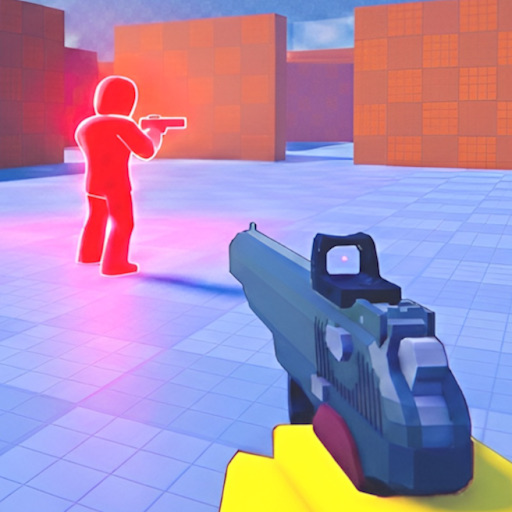
PC is the most popular platform for precision aim in Pistol Arena. Mouse look gives fine crosshair placement for pre-aiming angles, while keyboard slides enable rapid corner peeks and dodge chains. This page covers default bindings, optimization habits, and how PC inputs interact with the one-hit kill meta.
Default PC Bindings
Virtuals Games ships Pistol Arena with intuitive FPS-style defaults on keyboard and mouse:
- M1 (Left Click): Shoot — instant kill on connect
- M2 (Right Click): Aim — use for mid-long sightlines and holding angles
- Shift: Sprint — faster rotation between zones; loud to opponents
- Ctrl / C / F: Slide — momentum dodge; multiple keys for player preference
Mouse Aim Fundamentals
Low sensitivity with large mouse pad space favors crosshair placement over flicking. Pre-aim head-height at common corners before you peek — in a one-hit game, the player who sees the enemy first usually wins. Avoid unnecessary flicks during slide; stabilize aim before exiting slide into a duel.
Tune sensitivity with our sensitivity helper and practice tracking in live matches rather than empty lobbies. Read aim and combat for pre-aim drills tied to map angles.
Slide on Keyboard
Pick one slide key and commit. Ctrl is ergonomic for pinky users; C suits index finger players who do not use C for other binds; F works if you prefer ring finger. Slide at the start of a peek to minimize standing exposure, or mid-fight to break opponent tracking.
Advanced chains — slide cancel into re-peek, slide under windows, slide off high ground — are covered in slide movement. Sound cues from slide are audible to all eight players; use them to bait counters at spawn rotations.
Sprint Discipline
Shift sprint is tempting every moment, but sprinting into open sightlines gets you killed before you can M2 aim. Sprint between hard cover, then release Shift before engaging. Listen for enemy sprint — it signals aggressive pushes you can pre-aim.
PC vs Other Platforms
PC players often dominate high ground holds but can struggle against mobile auto-aim assist in close chaos if they ignore slide timing. Cross-platform lobbies are standard on Roblox — respect mobile slide unpredictability. Compare bindings on mobile and controller if you dual-queue.